
 Lecture transcription
 AI summary
 AI quiz
 Flashcards
 Mind map
 Assignment AI
A whole unit
on one page
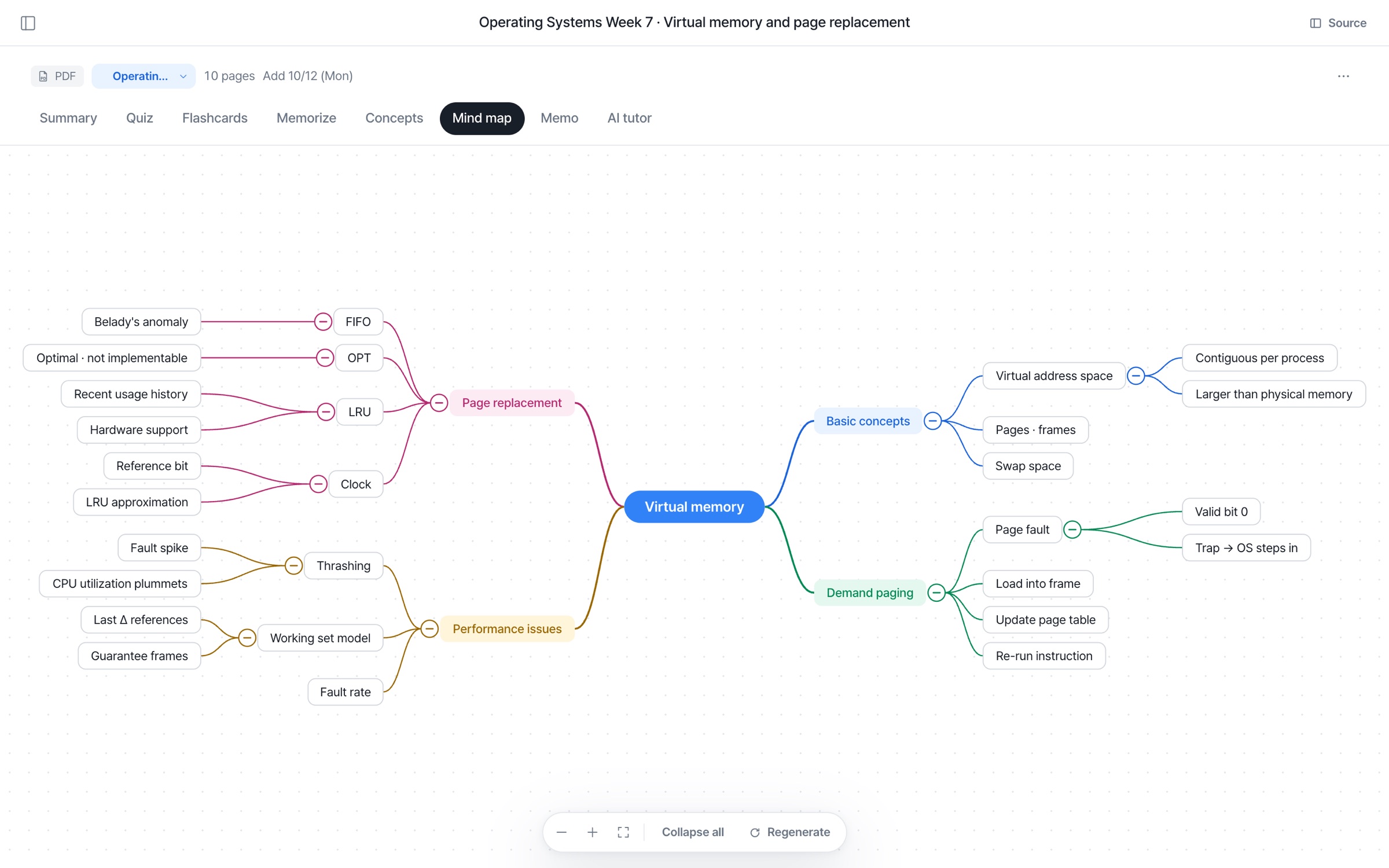
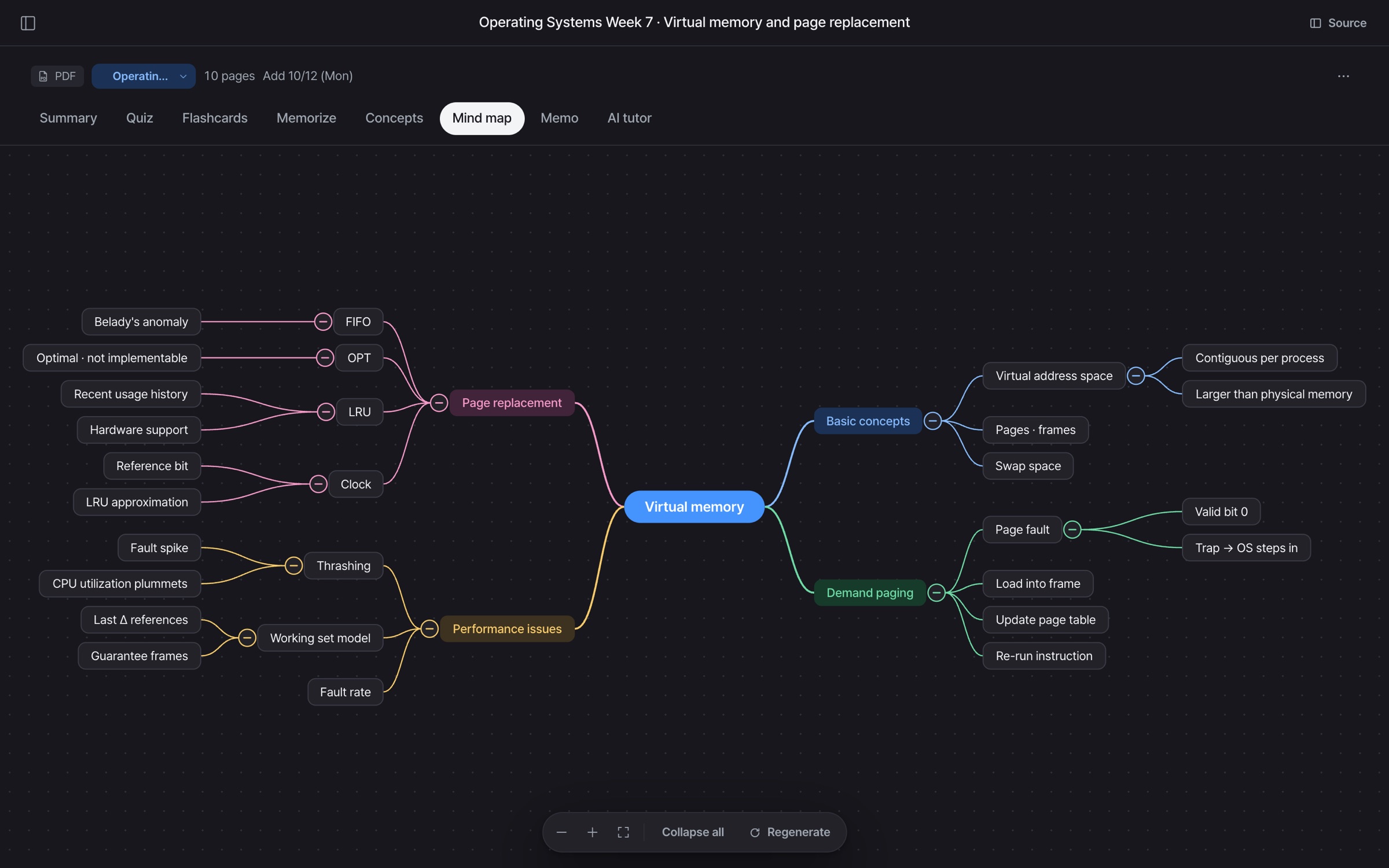
Add a material and a concept map is drawn.
Fold and unfold branches to follow the flow.
Connect scattered concepts
at a glance
Drawn straight from your materials
Subheadings and concepts become branches.
Fold and unfold
Open only the branches you need.
Tap a node for details
Tap a node to open its explanation.
Zoom in, zoom out,
fit to screen
Explore even big units with ease.
One material,
one map
- Drawn straight from your materials
- Subheadings and concepts become branches.
- Big picture first
- Get the flow before you read.
- Alongside the summary
- Switch back and forth with the summary.
- Browse by branch
- Open only the branches you're curious about.
- Connections between concepts
- How concepts relate, on one page.
- Keep only main branches
- Keep only the main branches and try to recall the rest.
- Zoom and fit to screen
- Explore even big units with ease.
- Regenerate
- Not happy with it? Regenerate it.
- Add a memo
- Jot down the flow in a memo.
Mind map FAQ
How are mind maps made?
We read your material and draw the main topic and sub-concepts as branches.
Can I collapse branches?
Yes. Each branch can be collapsed or expanded, and there's Collapse all and Expand all too.
Can I regenerate it?
Yes. Use Regenerate below the mind map to draw a new one.